
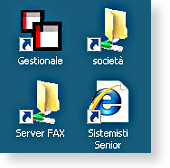
Ecco il procedimento:
Bisognerà aggiungere una linea al vostro script di logon per lanciare un file .vbs
Questa la sintassi della riga da aggiungere:
%windir%\system32\cscript.exe \\NOMESERVER\NOMECONDIVISIONE\nomefilediscript.vbs
Poi provvediamo a creare il file di script vbs:
PER CREARE UN’ICONA CHE PUNTA AD UNA CARTELLA/FILE:
dim WshShell
dim oMyShortcut
dim strDesktop
set WshShell = CreateObject("Wscript.shell")
strDesktop = WshShell.SpecialFolders("Desktop")
set oMyShortcut = WshShell.CreateShortcut(strDesktop +"\società.lnk")
oMyShortcut.IconLocation ="%LOGONSERVER%\script\società.ico"
OMyShortcut.TargetPath ="%LOGONSERVER%\Società"
oMyShortCut.Hotkey ="ALT+CTRL+S"
oMyShortCut.Save
SE CI SONO ARGOMENTI DA LANCIARE:
dim WshShell
dim oMyShortcut
dim strDesktop
set WshShell = CreateObject("WScript.Shell")
strDesktop = WshShell.SpecialFolders("Desktop")
set oMyShortCut= WshShell.CreateShortcut(strDesktop+"\Trova contatti.lnk")
oMyShortCut.WindowStyle = 3 ''2=Minimized 3=Maximized 1=Normal
oMyShortcut.IconLocation = "C:\Program Files\Windows Mail\wab.exe"
oMyShortCut.TargetPath ="C:\Program Files\Windows Mail\wab.exe"
oMyShortCut.Arguments = " /find"
oMyShortCut.WorkingDirectory ="c:\"
oMyShortCut.Save
PER CREARE COLLEGAMENTI A PAGINE HTML:
dim WshShell
dim oMyShortcut
dim strDesktop
Set WshShell = CreateObject("WScript.Shell")
strDesktop = WshShell.SpecialFolders("Desktop")
Set oUrlLink = WshShell.CreateShortcut(strDesktop+"\Sistemisti Senior Blog.URL")
oUrlLink.TargetPath ="https://sistemistisenior.wordpress.com"
oUrlLink.Save
ESEMPI DI TUTTI I CASI PRECEDENTI:
Dim WshShell
Dim oMyShortcut
Dim strDesktop
Dim netobj
Dim Username
Dim oMyShortcut2
Dim strDesktop2
Dim oMyShortcut3
Dim strDesktop3

Set WshShell = CreateObject("Wscript.shell")
strDesktop = WshShell.SpecialFolders("Desktop")

Set oMyShortcut = WshShell.CreateShortcut(strDesktop + "\Company.lnk")
oMyShortcut.IconLocation = "\\server-01\ClientApps\company.ico"
oMyShortcut.TargetPath = "\\server-01\Company"
oMyShortcut.Hotkey = "ALT+CTRL+S"
oMyShortcut.Save


Set netobj = CreateObject("Wscript.Network")
Username = netobj.Username
Set oMyShortcut2 = WshShell.CreateShortcut(strDesktop + "\" + Username + ".lnk")
oMyShortcut2.TargetPath = "\\server-01\users\" + Username + "\Documenti"
oMyShortcut2.Save

Set oMyShortcut3 = WshShell.CreateShortcut(strDesktop + "\Gestionale.lnk")
oMyShortcut3.IconLocation = "S:\GESTIONALE\GEST.ICO"
oMyShortcut3.TargetPath = "S:\GESTIONALE\GEST.EXE"
oMyShortcut3.Arguments = " /UTENTE VC1"
oMyShortcut3.WorkingDirectory = "S:\GESTIONALE"
oMyShortcut3.Save
Qualora voleste eliminare un link già presente, lo script andrebbe modificato anteponendo le seguenti righe:
IF objFSO.FileExists(strDesktop& "\nomecollegamento.lnk") THEN
	objFSO.DeleteFile(strDesktop& "\nomecollegamento.lnk")
End If
 Sistemisti Senior
Devi effettuare l'accesso per postare un commento.